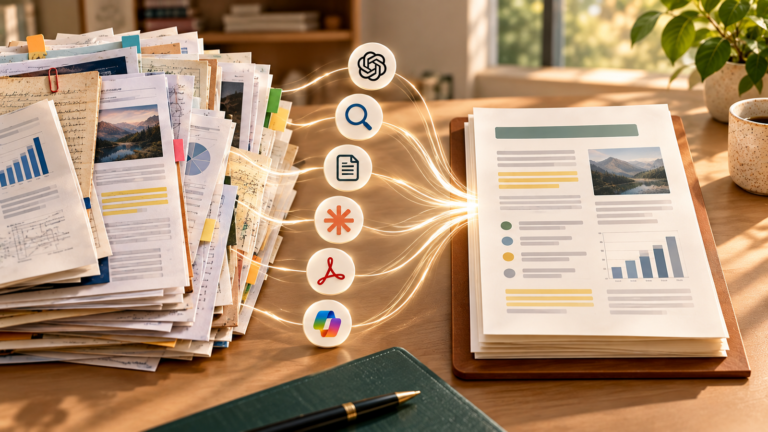
You want to try artificial intelligence without paying, open a list of dozens of names, and end up with more tabs than answers. One tool promises to write, another to research, another to transform documents, and another to create images. Which deserves your first sign-up? The question becomes easier when you replace “which is the best AI?” with “what task do I need to finish today?” This guide brings together six options with free access checked against official sources on September 24, 2026. It shows what each can help you accomplish, where unpaid use meets limits, and how to test without turning your routine into a collection of accounts.
Before the list: what does “free” mean here?
“Free” means a way to use the product without buying a subscription: an ongoing plan with limits, basic access without payment, or a replenishing allowance of free generations. It does not mean every feature from the brand is unlocked, the tool works without an account, or the allowance is unlimited. We also do not count a promotion that ends after a few days as a free option or confuse a paid-plan trial with the product’s Free plan.
Suppliers’ pages change. A feature may depend on country, age, language, account type, and service availability. We therefore describe the nature of access and the limitation that affects your decision without promising a fixed number of messages, files, or credits. Before using a specific feature, check what appears in your account and consult the official page linked in each section.
“Best” is not a universal podium either. We selected tools that let you start with a concrete task, have a documented free entry point, offer different uses, and make their limitations identifiable. The selection includes a general assistant for conversation and writing, another for trying a different approach to planning ideas, a research tool with sources, a notebook for documents, a visual editor, and an image generator. This is an independent editorial selection, not advertising or a guarantee that the first response will be good.
Choose by task, not by number of features
Imagine Ana, a fictional character, needs to prepare a small study activity and a visual invitation for a gathering. She has her own notes, a PDF she may share, and a question about recent information. She could try doing everything in one chat, but some of the work calls for sources, some for fidelity to the PDF, and some for an editable visual file. The simplest route is to choose a tool for each stage and check its output before moving on.
Write the task in a sentence with an action and result: “understand this concept and write a short explanation”; “find the current source of this information”; “compare sections of my PDF”; “make an invitation readable on a phone.” Then ask: do I need to converse, research, work with my own material, or produce a visual piece? That classification eliminates many options before sign-up. The AI tools hub provides context for this group of articles. If you do not yet know which category fits the task, Find the right AI tool uses four questions and a local editorial matrix to suggest a starting point. It does not assess prices, test tools for you, or produce a definitive ranking.
Six free tools to test with a purpose
ChatGPT: start with conversation and text revision
When a task is still poorly defined, a general chat is a useful entry point. Ana can paste a paragraph she wrote herself and ask: “Point out what is confusing for someone who has never studied this topic; suggest a clearer version without adding facts.” She then compares the proposal with the original and decides what to keep. She can also request questions to guide her reading rather than a ready-made answer to submit.
The official ChatGPT Free FAQ confirms unpaid access and describes tools such as web search, file and image uploads, and image creation. These capabilities have limits, some separate from the text limit. “ChatGPT supports uploads” therefore does not mean Ana can send any number of PDFs on the same day. A short, verifiable task is enough for the first test; there is no reason to begin with the most demanding feature.
Best fit: conversation, explanations, structuring ideas, and revising an initial text draft. Important limit: usage frequency and advanced tools in Free access are restricted and may require waiting after reaching a limit. Continue if: you can guide the conversation, correct the result, and use the text after reviewing it. Look elsewhere if: your main need is comparing citations across a set of sources or editing a visual layout.
If you are still learning how to formulate a request, our guide to getting started with ChatGPT covers basic interaction. ChatGPT, Gemini, Claude, and Copilot: which should you choose? explores general assistants in more depth; here the criterion is the free task you want to try.
Gemini: try another way to plan and explain
Google’s Gemini can be a second chat for understanding a topic. Ana might ask “Explain the difference between these two concepts in simple language and create an example I can check against my notes.” Comparing two responses helps reveal where your question was vague; do not automatically treat the more convincing response as truth. You do not need to maintain two active accounts forever. Use the second option for a real task and choose the one that takes less work to review.
The official Gemini usage help describes planning, summaries, and drafts and states that some features can be used without signing in, while additional features or history require a Google Account. The official limits page distinguishes access without a Google AI plan from paid plans and warns that limits can change. We do not attribute advanced Gmail, Drive, or Docs integrations to free access: using Google services in your routine does not guarantee a feature appears in your account.
Best fit: brainstorming, explanations, and initial drafts. Important limit: availability and capacity vary by feature, demand, and account type. Continue if: the response helps formulate your next question and you can check its content. Look elsewhere if: you need research with accessible sources or work grounded only in selected documents.
Perplexity: find ways to check recent information
When Ana wants to know whether a rule or information has changed, the task is no longer just writing. She needs the original source and its date and context. A responsible Perplexity test would be: “Which official sources explain this rule today? Separate the answer from the sources and indicate what I still need to confirm.” The output may point to relevant pages, but the tool does not replace reading them. A cited link may be outdated, secondary, or unable to support the stated claim.
Perplexity’s official plan comparison identifies a free Standard plan. It offers basic searches, a very limited number of Pro searches, and restricted basic uploads. The same page reserves advanced models and image generation for paid plans. Include Perplexity in your test for basic research and the ability to follow sources, rather than promises of premium features without payment.
Best fit: finding where to begin checking recent information. Important limit: advanced research and files have reduced access on the Free plan. Continue if: links lead to identifiable, current sources useful for your question. Look elsewhere if: the goal is understanding your own PDF line by line. For important decisions, open the primary source, check its date, country, and relevant passage, and record what remains uncertain.
Gemini Notebook (formerly NotebookLM): converse with material you selected
Ana now needs to understand the PDF she may share. Instead of asking “summarize everything,” she creates a notebook with that material and asks which sections discuss a specific idea. She then requests a synthesis referencing the passages and checks them in the document. Gemini Notebook’s value is keeping the conversation directed toward selected sources; that does not guarantee perfect reading of diagrams, tables, or a poor scan. Human checking remains necessary.
Google renamed NotebookLM to Gemini Notebook in July 2026; it is the same independent product. The official limits help confirms access without a plan, with replenishing usage restrictions and expanded conditions in subscriptions. A personal notebook requires a Google Account. What matters here is working with sources you may use and checking the conditions shown in your account.
Best fit: studying and organizing selected documents. Important limit: access without a subscription has usage and volume restrictions, and fidelity depends on source legibility. Continue if: you can locate the passages supporting the synthesis in the file. Look elsewhere if: you need broad web research or cannot upload the material because of privacy or permission. Our guide to summarizing PDFs and study materials with AI explains reviewing section by section.
Canva: turn an idea into an editable visual piece
After checking the content, Ana needs a simple invitation for a phone. She writes the message first, decides the size, and uses Canva to arrange the title, date, contrast, and spacing. An automatic suggestion can speed up the structure, but the main work is checking readability and replacing anything that does not fit the purpose. AI does not automatically solve visual hierarchy, image rights, or text errors.
The official Canva plans page offers a Free plan at no cost and indicates limited use of AI tools. The official Magic Design page confirms limited use on Canva Free, including presentations, and warns that Pro elements in a design may require purchase or a subscription to remove their watermark. This is a practical distinction: a free tool may suggest a template containing a paid element. Before exporting, Ana replaces Pro elements with available alternatives and checks the final preview.
Best fit: invitation layouts, visual material, or simple slides you want to edit. Important limit: AI features and premium items have restricted access. Continue if: you can export a readable piece using elements actually available in your plan. Look elsewhere if: the goal is generating an original image without assembling a composition. For presentations, our guide to creating presentations with AI helps plan content before slides.
Adobe Firefly: try a specific image with limited credits
If the invitation needs an original image, Ana can try Adobe Firefly with a small request: “illustration of a study desk with an open book and morning light, without text or brands.” She checks whether the subject is clear, hands and objects make sense, and the image fits the layout. If it does not work, she adjusts one variable, such as framing, before generating again. Every attempt may consume free access; an aimless sequence wastes the allowance.
Adobe’s official credits FAQ describes Firefly Free and a limited number of daily generations for users without a plan, renewing daily; available models and features may change. Premium features or higher volume require different conditions. Generation access involves an Adobe account. Do not assume that video, audio, or every model shown on the website is included in free access. The credits overview explains that different functions may consume credits differently.
Best fit: testing a clearly defined image for a small piece. Important limit: few free generations and a variable selection of models and features. Continue if: you can obtain a usable image after reviewing details and usage conditions. Look elsewhere if: you mainly need text, sources, or an editable layout. The guide to creating images with AI teaches how to describe and review the scene before spending more attempts.
A quick decision for your first test
- I want to understand a topic or improve my own text: start with ChatGPT; try Gemini as an alternative if the first conversation does not fit your way of working.
- I need to confirm something recent: use Perplexity’s basic search to locate sources and open the original pages.
- I have a document I may upload: try Gemini Notebook with a short section and check its references in the file.
- I need an editable visual piece: start with Canva Free and check whether all template elements are free.
- I need to generate an image for that piece: try Firefly Free with a clear description and review the result.
This list maps tasks rather than ranking quality. One product may do several things, and another service may better meet a particular need. The practical criterion is how much useful work remains after you check the output. An instant response that requires an hour of corrections did not save an hour. A simple draft that is easy to review may be worth more than a sophisticated piece that misses the context.
How to test without creating six accounts at once
Ana first chooses a chat and Gemini Notebook, then Canva only when she needs the invitation. Perplexity comes in if the question truly requires current research; Firefly if she needs an original image. You can do the same with two or three tools. Starting with all of them makes it harder to remember where you uploaded material, compare limitations, and return to the task you needed to do.
Use a small test for each task. In chat, request a revision of your own paragraph and mark unsupported facts it adds. For research, formulate a question you can check on an official website and compare the response with the open page. In a document notebook, select a section, request three main ideas, and locate each in the original. In design, export a simple piece and read it on a phone before sharing. Record a few lines: task, result, review time, and limit encountered. After two different tasks, you will have better evidence than an impression from a single prompt.
If Ana receives a poor response, she does not need to switch platforms immediately. First she checks the input: was the request clear? Was the file readable? Was the source appropriate? She gives a specific correction and compares. If the product keeps inventing information, the necessary feature is blocked on Free, or the workflow creates too much work, testing an alternative makes sense. A switch should address an observed problem rather than a brand’s popularity.
Privacy and quality before pressing “send”
An everyday task may conceal sensitive information: a classmate’s name in study material, an address in an invitation, customer data in a file, or other people’s photos. Use fictional examples when possible. Remove identifiers that are not essential and check whether you have the right to send material to an external service. Policies and controls differ between products and account types; read the selected service’s terms before uploading private files. IANautaLab’s selection tool processes your responses locally in the browser, but opening an external supplier subjects that browsing to its policy.
Also treat the output as a proposal you can revise. A search tool’s citation must support the claim; a summary must preserve exceptions; a visual must contain correct text, plausible elements, and appropriate usage permission. For health, finance, rights, or safety, do not make a high-impact decision solely from a generated answer. Consult official documents and qualified professionals when the situation requires it. AI’s usefulness lies in organizing an initial stage, not dispensing with judgment.
Free is not unlimited: when should you consider paying?
If you encounter an occasional limit, waiting for renewal may be enough. Paying starts to make sense when a specific feature you have already tested is needed frequently and its benefit outweighs the cost in your circumstances. Before subscribing, record the exact obstacle: “I need to analyze large files every week,” “the volume of image generations interrupts production,” or “I need an export feature absent from Free.” Then confirm on the official page whether the paid plan actually removes or expands that limit in your region and account.
Avoid paying just because an upgrade button appeared during an experiment. A one-time limit does not prove that the right tool is the same one with a subscription. Sometimes the task calls for another product category, a better-prepared file, or a simpler manual step. Do not subscribe to several plans simultaneously for a routine you are only starting. Reassess after using free versions on real work. Prices, allowances, and plan names change, so this guide does not present paid prices as permanent.
Your next step
Choose a small task waiting for you today. Define the result and what you will need to check. For text, begin in a chat; for a recent fact, find its source; for a PDF, return to the document; for a visual piece, check the exported file at its actual size. Test one tool, record its limitation, and open the next only for a concrete reason. The best free start helps you finish a task while keeping control of the content, your data, and the final decision.