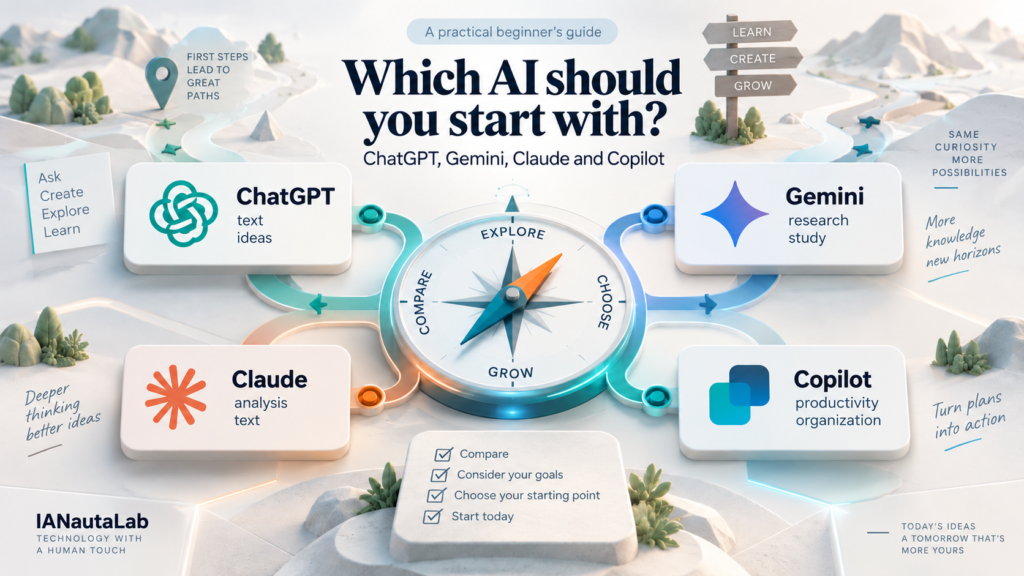
ChatGPT, Gemini, Claude, and Copilot answer questions in natural language, but they do not always offer the same features or fit into your routine in the same way. Your choice depends on what you want to do, the apps you already use, and the conditions of your access. This comparison presents verifiable differences and a simple way to experiment without searching for a universally “best AI.” The features mentioned were checked against official sources on September 23, 2026; plans and interfaces can change.
What changes from one AI assistant to another?
An assistant is the product you talk to; the model is one of the technologies that can generate its answer. The same brand can change its models, interface, and limits without changing its name. For beginners, it usually matters more to know whether the product accepts a file, finds current information, connects with apps you already use, and lets you verify the result. The chosen model can make a difference, but it is not a reliable shortcut to declaring a winner.
There is also an essential distinction between being able to discuss an uploaded document and having authorized access to your files and apps. Uploading a PDF once does not automatically give the assistant access to your email inbox. Likewise, seeing an app’s name on a sales page does not mean your account, plan, or region has that integration enabled. Before comparing, look at what appears in your own account.
Meet the four assistants
ChatGPT: conversation, files, and tools in one place
OpenAI’s ChatGPT is a starting point for asking for explanations, planning a task, reviewing text, and continuing a conversation until you have a usable result. The free-access documentation says Free users can search the web and upload images or files, among other tools, but features such as uploads and analysis have their own limits. The file help page describes uses such as summarizing documents, comparing texts, and analyzing spreadsheets. Availability and usage depend on your plan and account settings.
If you have never used an assistant, start with a small task, such as asking for a list of points to review in a message you wrote. You do not need to purchase a plan to understand how the conversation works. Take care not to confuse a fluent answer with a completed factual review. To practice the first steps, see our beginner’s guide to ChatGPT.
Gemini: an option to consider if you already work with Google
Google’s Gemini also answers questions and works with uploaded files. The upload help page lists documents, spreadsheets, images, and other formats. One concrete difference is the ability to connect Gemini to Google services: the Workspace connection documentation describes tasks with Gmail, Docs, Drive, Calendar, Keep, and Tasks. This connection requires a compatible account and specific settings, such as enabled activity; work or school accounts may depend on the administrator. The same documentation says not all content in those services is accessible.
If your task is finding information in your own Drive documents or organizing Calendar appointments, check whether the integration appears and what it authorizes in your account. If you only need to review a paragraph, there is no reason to treat that connection as a requirement. Google also says Gemini’s usage limits vary by feature and plan and can change.
Claude: reading, writing, and organizing materials
Anthropic’s Claude is another option for discussing ideas, rewriting text with clear instructions, and working with uploaded materials. Its help center documents uploads of PDF, DOCX, CSV, TXT, and images, among other formats. Anthropic also documents web search, which should be enabled when the task requires current information. An answer produced without search should not be treated as an automatic update.
For a beginner, a plausible use is attaching your own document and asking: “Which three passages are confusing for a reader without specialist knowledge? Point out the passages without inventing information.” Check the suggestions against the original. The free plan has per-session usage limits that vary with demand and conversation length. A large document may use a substantial portion of that limit.
Copilot: distinguish free chat from Microsoft 365 integrations
Microsoft’s Copilot can be used for general questions, ideas, and web tasks. However, there are different experiences under similar names. Microsoft’s official comparison distinguishes free Copilot from integrations offered in eligible Microsoft 365 plans. Having a Microsoft account or using Word therefore does not guarantee access to every AI command within Word, Excel, or Outlook.
Copilot for personal use allows certain file uploads, such as PDF, DOCX, and XLSX, so you can ask questions about them. That is different from the assistant working directly on all your documents in the application suite. If you already use Microsoft 365, check which account and license are active before attributing a function to your Copilot. For simple tasks, start in chat and see whether it meets your needs without relying on a paid integration.
Comparison: what should you consider before choosing?
The table summarizes starting points; it does not measure answer quality. “Allows” indicates a documented feature, not that it is unlimited or enabled in your account.
| Assistant | Practical criterion for the first test |
|---|---|
| ChatGPT | Conversation, web search, and file uploads with free access, subject to tool limits. Source. |
| Gemini | File uploads; connection to Google services subject to account and configuration requirements. Files and connection. |
| Claude | Document uploads and web search are documented; free plan with a per-session limit. Files and access. |
| Copilot | Free chat for general tasks; integration into Microsoft 365 apps depends on an eligible plan. Source. |
All four can help write or summarize, but that does not prove equivalent results. The most useful difference may be context: do you intend to paste a passage, upload a file, or work on content already stored in another app? The effort needed to review the output and the care required by the data involved also matter.
Which assistant might make sense for each task?
Writing and reviewing without losing your voice
Imagine you have prepared a five-paragraph email and want to make it clear without changing its tone. In any of the four, provide only the necessary text and ask: “Point out repetition and propose a shorter version; do not add facts.” Compare the proposal with the original. The best tool for this task is the one you can guide, review, and use comfortably, not the one producing the most eye-catching sentence. If the text contains other people’s data, remove it before testing.
Studying and working with documents
For studying, try asking for three questions about a page of your own notes, then check whether the answers match the material. ChatGPT, Gemini, Claude, and Copilot document ways to work with files, but accepted types, limits, and controls are not identical. If the file is large or contains tables, test a short passage and check numbers, notes, and context against the original. Summarizing a PDF does not mean perfectly understanding all charts and appendices.
If your materials already live in Google Workspace, Gemini’s documented connection may reduce the need to upload files, provided it is available and you want to grant that access. If you use Microsoft 365, compare chat Copilot with the integration actually included in your license. People who do not need these connections can work with a selected file in any service that accepts it, without authorizing broad account access.
Researching something that changed recently
To confirm a travel rule, deadline, or news item, first check whether the answer used current search and shows sources. ChatGPT documents web search with free access; Claude documents search when enabled. Gemini can show related sources and offer an answer-checking feature, but Google itself emphasizes that related links are not necessarily the sources used to generate the text. Copilot has different experiences depending on account and plan; check the links presented by the version you use. In every case, open the original source before acting. A citation does not eliminate interpretation errors.
Organizing tasks and developing ideas
To turn a loose list into steps, write your goal and constraints: “Organize these tasks for the two hours available; highlight what depends on someone else.” Notice whether the assistant respected the time and avoided inventing commitments. If the work involves apps, consider the documented integration actually available to you; if it only involves thinking through a list, chat may be enough. For creative ideas, ask for three different directions and choose using your own criteria, without confusing the number of suggestions with originality or suitability.
Can you start for free?
Yes. All four offer a form of access without payment for conversations and common tasks, according to their help pages. That does not mean unrestricted access to the same tools. OpenAI specifies limits for uploads and other tools; Google describes variable limits and expanded access on paid plans; Anthropic describes a per-session limit in free Claude; and Microsoft distinguishes free Copilot from features included in eligible subscriptions.
You do not need to purchase four plans to decide. Start with free access and observe which actions you can actually complete. If you hit a limit, note which function was missing and how often that interfered. Only then does it make sense to consider a plan, checking current conditions with the service itself and in Brazil. Prices and quotas are not included here because they change faster than the selection method.
How to experiment before choosing
- Choose a small, real task that is easy to check, such as organizing a page of notes.
- Write the same goal and constraints for the assistants you can access.
- Use only data you can share; when possible, replace real names and numbers with examples.
- Observe what you actually managed to do: converse, attach a file, use search, or access a connected app.
- Compare clarity, the ability to correct the answer, sources, limits, and the time you spent reviewing.
- Confirm any important information in the original document or website.
- Repeat with another task before deciding: a single request does not demonstrate overall superiority.
You can record the result in four lines: task, required feature, limitation encountered, and how much work the answer saved after review. That record helps more than an abstract “best AI” score. If an option worked well for a summary, it may still not be the most convenient for organizing your schedule. And if an integration seems useful, also evaluate the data access it requests.
What our five-task test showed
To give beginners a concrete reference, we compared the free versions of ChatGPT, Gemini, Claude, and Microsoft Copilot on five short, text-only requests. The result helps you choose a first test; it does not determine which tool will be best for everyone.
How we evaluated the answers
The four tools received the same five tasks. Before viewing the answers, we defined five criteria: fulfilling the request, being clear, offering useful output, respecting the information provided, and meeting each task’s specific requirement. Each criterion received 0, 1, or 2 points. Each task could therefore total up to 10 points, and the set up to 50. Two independent evaluations examined the answers without knowing which tool they came from; differences in judgment were resolved before the identities were revealed.
The tasks were: 1. explaining two-step authentication using only a fact card; 2. writing a reusable request for organizing fictional expenses without asking for personal data; 3. noticing what was missing from an invitation before advising someone; 4. checking an answer about library hours against the provided source; and 5. adapting, in a second message, a proposed exhibition visit for a child without inventing details.
| Tool | Task 1 | Task 2 | Task 3 | Task 4 | Task 5 | Ordinal total |
|---|---|---|---|---|---|---|
| ChatGPT Free | 10 | 9 | 10 | 10 | 10 | 49/50 |
| Claude Free | 10 | 10 | 10 | 9 | 8 | 47/50 |
| Microsoft Copilot Free | 10 | 9 | 10 | 9 | 5 | 43/50 |
| Gemini Free | 8 | 10 | 9 | 8 | 5 | 40/50 |
These totals are points assigned using this test’s evaluation criteria. For example, 49/50 does not mean 98% accuracy, quality, or intelligence. It simply means that, in this round and on these five tasks, that tool’s set of answers adhered more closely to the defined criteria. The difference between totals does not measure overall superiority.
Where differences appeared
In the initial explanation and identification of missing information, all four tools did well through much of the test. Gemini lost points on the first task for stating with certainty something the fact card did not guarantee; on the third, it added a timing indication absent from the invitation. On the reusable-request task, Gemini and Claude scored 10 points; ChatGPT and Copilot scored 9. The distinction there concerned precision about what the request still needed to specify or verify.
When checking hours against a short source, ChatGPT scored 10 points; Claude and Copilot scored 9; Gemini scored 8. Some lost points came from treating missing or partial information as if the source gave a definitive answer. The largest difference appeared when adapting the exhibition visit: ChatGPT scored 10, Claude 8, and Gemini and Copilot 5. In that task, details about the exhibition absent from the supplied material reduced the scores. These are failures observed in these specific requests, not a measure of every service’s full capabilities.
Which should you try first?
If your first experience involves requesting an explanation, checking a short text, and adjusting the answer in a second message, ChatGPT Free is a reasonable starting point: it had the highest total in this limited comparison. Claude Free was close and consistent in the first tasks, including the reusable request. If you already use the Google or Microsoft environment, you can also start with Gemini or Copilot to see whether the interface and features available in your account help with your routine; this test did not measure the quality of those integrations. In any case, repeat the same real request in two options and check the facts before choosing.
Important limitations: this was a single round with five text tasks and the Free versions available at the time of execution. We did not evaluate every feature or conduct a comprehensive test of web search, images, files, integrations, or types of reasoning. Products and their limits can change. The scores guide a first experiment; they do not prove that there is a universal winner.
Precautions when comparing AI assistants
All can produce incorrect information, nonexistent references, or outdated answers that look convincing. An attractive table or confident tone is no substitute for checking. Ask for the origin when it matters, open the cited page, and verify the date, passage, and context. For health, rights, finances, or safety, use the assistant to organize questions, not to make a high-impact decision alone.
Privacy also affects your choice. Each provider has its own controls and policies: OpenAI explains ChatGPT’s data controls; Google describes Gemini activity and connected apps; Anthropic explains how conversations in personal Claude are handled; and Microsoft details files uploaded to personal Copilot. Read the terms applicable to your account, especially before uploading confidential content or connecting email, calendars, and storage. Do not assume a personal account setting applies to a business plan.
Finally, compare products, not slogans. An advertised feature may have a rollout queue, regional restriction, language requirement, usage limit, or disabled setting. When the task matters, the right question is “What is available to me now, and what can I verify?” rather than “Which brand promises more?”
Next step: find out which AI meets your needs
If you are still unsure, start with the need that comes up most often in your week: studying, reviewing text, researching, organizing information, or working with a set of apps. The Find out which AI to use tool offers an initial suggestion based on defined criteria. It is not a scientific test or a definitive ranking; use the suggestion to choose your first experiment, then apply the steps above.
If you would rather understand what these systems do before comparing them, read AI for beginners: what it is and how to get started. The destination does not have to be a subscription or a favorite brand. It is being able to use a tool suited to the task, recognize its limits, and keep the final decision in your hands.