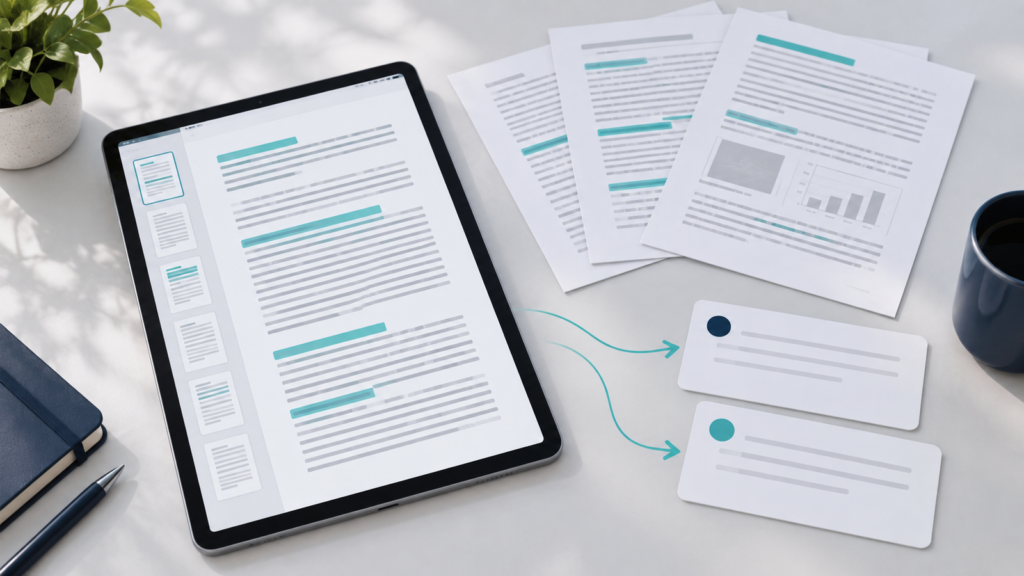
You open a long study handout, ask “summarize this PDF,” and receive an organized page in seconds. It seems sufficient—until you realize you do not know which sections were left out, whether a number changed, or whether an important exception disappeared. The problem is not using AI to shorten reading. It is losing control over what was shortened.
A useful summary keeps the essential ideas for a defined goal and lets you return to the source of each important point. In this guide, you will prepare the file, work in sections, guide the assistant, compare the result with the document, and turn the summary into study support. The process works even if your tool does not accept uploads: when permitted, you can provide selected text passages instead of the entire file.
First, understand what a summary can—and cannot—deliver
When given a document’s content, an assistant can produce a shorter version bringing together recurring topics and relationships between ideas. This does not mean it knows your exam, each chapter’s importance, or the author’s intention. Nor does it guarantee that it interpreted every page, image, table, and note. The output depends on the material actually accessible, the instruction received, and the capabilities of the tool used.
Summarizing is not just cutting sentences. For studying, you need to know which concepts were preserved, how they relate, and where simplification would make understanding incorrect. Consider four distinct purposes: a summary for understanding explains the sequence of ideas; a summary for reviewing highlights what you need to retrieve later; a summary for locating information points to sections where you can find details; and a summary for organizing reveals the material’s structure. The same short text rarely serves all four tasks well.
If you have not read anything yet, you can start by asking for a chapter map rather than a complete substitute for reading. If you have already studied, you can ask for review questions. If you need a definition, an annotated index may be more useful than a continuous paragraph. Deciding the purpose before opening the chat avoids the vague request “summarize everything” and makes it possible to evaluate whether the answer was useful.
Define your goal before sending the study handout
Let us follow Júlia, a fictional student. Her imaginary handout has about 25 pages and four sections: an introduction to concepts, relationships between them, examples, and a final part covering limits and exceptions. It is not a real handout or a specific subject. She wants an initial review of the main concepts, not a transcription of every example. That goal changes the task: the summary must show definitions and connections but must not erase the qualifications in the final section.
Júlia writes three questions before starting: “What do I need to be able to explain?”, “Which details would change an answer?”, and “Where will I return if I have a question?” If she were preparing a quick reference, she might prioritize location by heading and page. For a presentation, she might want the progression of the argument. Giving the assistant this context is more useful than requesting an arbitrary length.
She also checks the material’s usage rules. A handout received at school, at work, or in a course may have sharing restrictions; classmates’ data or private notes require even greater care. Use only files or passages you have permission to send. If you lack that permission, make your own nonconfidential notes and work with them. Do not send credentials, personal documents, or restricted assessments.
Check whether the PDF is actually readable
Two files with the .pdf extension may need different treatment. A digitally created PDF usually lets you select and search the text. Another may be only an image of scanned pages. Adobe’s OCR documentation explains that scanning can produce only image data and that optical character recognition can add a searchable text layer. Even after OCR, the reading needs review: letters, numbers, or words can be recognized incorrectly.
Before requesting a summary, try selecting a sentence and searching for a term in the file. Then check the beginning, a page in the middle, and the last section. Notice whether the column order makes sense, whether headings became mixed with body text, and whether notes, charts, or tables were preserved. Copying a paragraph into a text editor, when permitted, helps reveal strange characters and out-of-order breaks. A table turned into disconnected lines can completely change the relationships between its values.
Some assistants accept PDFs; others depend on pasted text, specific features, or a particular plan. Processing of visual elements is not uniform either. OpenAI’s official documentation on visual retrieval with PDFs describes processing differences depending on context and product plan. Therefore, do not assume “the file was attached” means “everything was read correctly.” Check the current documentation for your tool and test a familiar passage from the document. There is no universal page or file-size limit to follow here.
Request 1—test the reading: “Before summarizing, say which headings and subheadings you could identify in this passage and transcribe only the first two sentences of the section beginning with ‘[heading].’ If you cannot read part of the material, say which part. Do not fill gaps with assumptions.” Compare the answer with the open PDF. If it gets the order wrong or omits a section, correct the file, use OCR when needed and available, or provide a readable part through another authorized means. Do not move forward trusting an incomplete input.
Work section by section, not on impulse
Júlia decides to divide the handout into four blocks following its existing headings. First she asks for a map of each section; only afterward does she request a summary. This does not establish a fixed number of pages to send. A short chapter with complex tables may require more attention than ten pages of simple text. The point is to keep units you can check without searching for one statement throughout the whole file.
On a sheet of paper, she records “Section 1—concepts,” “Section 2—relationships,” “Section 3—examples,” and “Section 4—limits.” If the tool accepts a file, she specifies the section to address; otherwise she pastes the permitted passage and identifies it. In either case, she checks where each block begins and ends. After finishing a part, she adds a line with questions and possible omissions before moving to the next.
This division provides control. If a definition in the first section seems incomplete, Júlia corrects it there without redoing the whole document. If she notices that the final part changes an earlier idea, she can revise the initial summary. The process is less like pressing a button and more like editing reading notes with a second voice’s assistance.
Ask for a summary that preserves definitions, relationships, and qualifications
A good instruction includes the purpose, passage, level of detail, and elements that must not disappear. Júlia does not need to list every term in the handout; she only needs to say what would constitute a meaningful loss for her review. She also sets a boundary: no supplementing the document with external information without marking it.
Request 2—summarize a section: “I am preparing an initial review. Summarize only the ‘[heading]’ section of the supplied material in up to five bullet points. Preserve definitions, relationships between concepts, numbers that change interpretation, and exceptions. Clearly distinguish what is in the passage from any explanation of your own. If you cannot verify a point in the material, mark it unconfirmed; do not invent it.”
After reading the output, she compares the summary with the beginning and end of the section. Sometimes the short version is correct but too generic for her purpose. In that case, she makes a second, focused request instead of demanding an unspecified “longer summary.”
Request 3—restore precision: “In the summary of the ‘[heading]’ section, identify which definitions or conditions became vague. For each, indicate the passage you used, if you can locate it, and provide a more precise sentence. Do not create page numbers or verbatim quotations you cannot confirm.”
The instruction to identify the source helps with searching the PDF, but it is not a seal of fidelity. A page suggested by AI may be wrong, especially if internal numbering differs from the reader’s numbering or if the tool did not preserve that information. Júlia uses the reference as a clue and confirms the passage herself.
Choose the format according to your next action
Júlia tries four brief outputs for the same section. A continuous summary is useful for an initial reading of the general idea, but may hide where one concept ends and another begins. A bullet-point summary makes it easier to check coverage of subheadings. A textual idea map shows relationships—“A depends on B,” “C is an exception to A”—without pretending to be a perfect diagram. The summary plus questions format prepares a review: the synthesis is followed by questions without an immediate answer key.
No format is inherently better. To locate a piece of information, prefer a list with the section and a search term. To explain a topic aloud, a relationship map may help. To review tomorrow, questions require an attempt to remember rather than merely recognize the text. If the assistant produces a table, check its cells against the original; attractive presentation does not correct swapped values.
Request 4—change the format: “Turn this already checked summary into a textual map with concepts and the relationships between them. Keep a separate line for each exception. Do not add new content. Where the material has no explicit relationship, write ‘relationship not indicated.’” The request starts with a checked summary, not a text whose provenance Júlia does not know.
Check against the original document
This is the stage that separates a controlled summary from a merely convincing text. AI may omit a qualification, merge two ideas, alter a number, swap a definition, or connect topics the source does not relate. Júlia opens the handout beside the summary and goes through the headings: did every important section appear? Then she compares central terms, definitions, and examples that change understanding. Finally, she looks for numbers, conditions, negations, and exceptions. Words such as “only,” “except,” “may,” and “must” deserve attention because a small change can alter the rule.
A simple procedure fits into a few minutes of review per block: mark ✓ for what you found in the original, ? for what needs checking, and + for what appeared in the summary without identified support. Do not keep a + item as a fact until you locate the passage. If the material includes a decisive table or chart, compare the data in the original format, not only in a text transcription.
Request 5—look for deviations: “Compare this summary with the supplied original section. Organize three groups: important information omitted, statements added without identifiable support, and passages whose meaning changed. Point to a heading or expression that helps me locate each item. Do not treat your own comparison as final verification.” This request can find problems but can also be wrong. Júlia performs the human comparison and corrects the saved version.
Consider a fictional editorial demonstration, unrelated to a real handout. Invented source text: “The procedure applies to cases A and B, except when condition C is present; in that case, an additional step is required.” Poor summary: “The procedure applies to cases A, B, and C.” Better controlled summary: “It applies to A and B; under condition C, there is an exception and an additional step. Check that step’s description in the original text.” The second is more useful not because it is longer, but because it preserves the limit that would change the reader’s decision.
If a quotation seems too perfect or a page number does not match, search the expression in the PDF and read the surrounding paragraph. The assistant may have used another numbering scheme, mixed sections, or simply made a mistake. Generated references do not remove the need to verify the source. If the file is scanned and searching fails, locate the page visually or obtain an authorized readable version.
In a controlled IANautaLab round, answers from four assistants in free versions were compared using identical requests for synthesis and checking on the same fictional one-page PDF. In the summary, study-notes, and comprehension-checking tasks, the answers preserved the document’s central data, including 23 of the 24 meetings held, 90 registrations, and the qualification that registrations do not prove learning. Even so, one synthesis contained 204 words when the request limited the answer to 120–160. Fidelity to facts and compliance with format need separate checks.
This sample does not predict how the tools will respond to another handout, a scanned PDF, or a future version. When checking your own summary, compare numbers and qualifications against the file, see whether length and purpose match the request, and return to the original passage when unsure. If the next stage is practice without consulting the text, the guide to questions, quizzes, and flashcards shows how to review answer keys too.
Use the summary to study, not to abandon the material
After correcting the four blocks, Júlia assembles one page with the central concepts and another with questions. She does not ask the assistant to declare the topic “mastered.” She closes the summary and tries to explain two relationships in her own words. Where she hesitates, she returns to the corresponding handout section. The summary becomes a map for returning, not a barrier between her and the source.
Request 6—create active review: “From this already checked summary, create four questions: one about a definition, one about a relationship between concepts, one about an exception, and one asking for an example. Show only the questions now. After each answer I give, indicate which section of the material I should check for what was missing; do not give me the answer key before my attempt.”
This use connects with the guide How to study better with AI without letting it do the learning for you: trying to remember, receiving feedback, and returning to the source differ from endlessly rereading a ready-made answer. If you need to fit reading and review into the week, the AI study planner helps distribute sessions. It organizes time; it does not automatically verify your summary’s fidelity.
Recognize when summarizing is the wrong choice
A short, dense paragraph may take less time to read in full than to condense and then reconstruct. The same applies to an exact definition, an instruction where every step matters, or a section that is already highly summarized. In technical and academic materials, contracts, standards, and health texts, a synthesis helps with locating and understanding information but does not replace the original wording or professional guidance when a decision depends on details. Do not use a generated sentence as the sole basis for an important decision.
It may also be unwise to send a file you are not authorized to share. Personal data, private assessments, corporate materials, and third-party documents call for another approach: your own notes, generic questions, or direct consultation with the responsible person. Do not assume every handout can be sent to an external service. If you are starting to use a chat, the guide to getting started with ChatGPT explains basic interaction, but this method does not require that product. The AI for studying hub brings together other content in the area.
Try it with a small section
Choose a section you can legitimately share or work on through notes. Define whether you want to understand, review, locate, or organize. Check that the text is selectable and that the tool can actually read the passage. Ask first for a map of the subheadings, then a summary preserving definitions, relationships, and exceptions. Open the original and mark omissions, changes, and additions. Correct the summary before turning it into questions. Answer one without consulting anything and return to the PDF wherever you are unsure.
If at the end you can say where an idea came from, what was left out, and when you need to reread the document, the summary is playing a useful role. Quality lies not in appearing complete at first glance, but in maintaining a reliable bridge between the short version and the material you really need to learn.