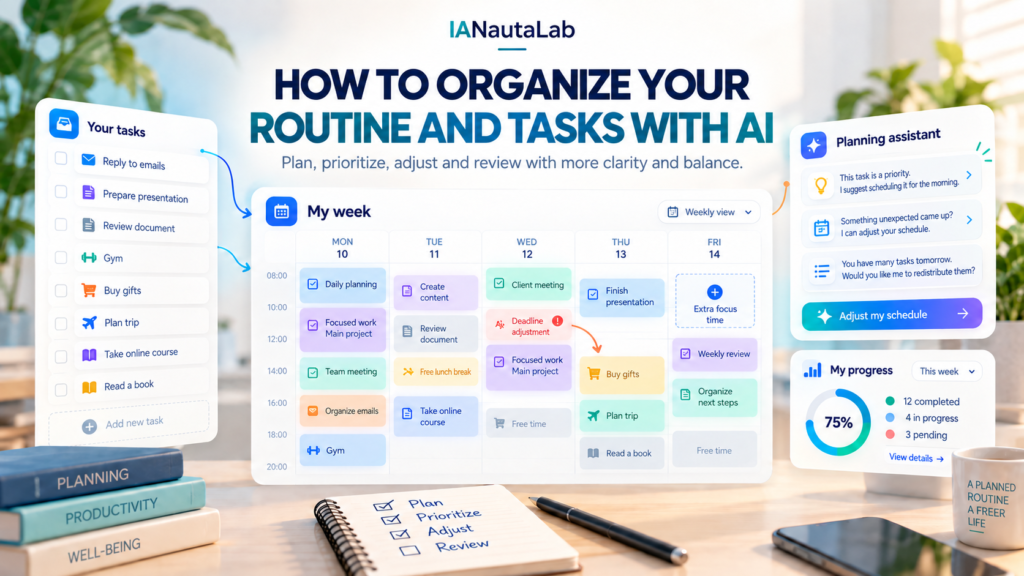
Tasks are scattered across messages, papers, and your memory. Some appointments have set times, while other pending items have no clear deadline. Before filling your calendar, you need to identify what exists, what depends on someone else, and how much time is truly available. An AI assistant can help organize this information and suggest a plan for you to review. It does not automatically see your calendar, know your limits unless you explain them, or carry out tasks for you.
We will follow a fictional situation: Marina works from 9 a.m. to 5 p.m., takes about 30 minutes to get home, and has an appointment at 7 p.m. on Tuesday. She needs to deliver a professional review by Wednesday, buy household items, reply to a friend about the weekend, and arrange a repair that depends on a technician’s response. This example is not an ideal routine; some things will wait. The idea is to show how to turn a loose list into decisions that fit real life.
What can AI do for your planning?
In a simple conversation, AI can reorganize the text you provide, group tasks, suggest useful questions, flag possible conflicts, and propose a work sequence. It can also break a large activity into steps or rewrite the plan when conditions change. This supports your thinking: priorities, confirmed times, and personal choices remain yours.
There are three different situations. You can type a list in chat and receive a proposal there. You can provide a file, if the service allows it, so the assistant uses the information in that file. And some services may offer integration with calendars or other apps, provided the feature exists, is configured, and has your authorization. None of this is necessary to follow this tutorial. Without integration, copy only the plan you approved into your calendar; do not assume an appointment was created or a reminder will be sent.
Start by gathering tasks in one place
Start with a quick capture, without trying to resolve each item as you write. Look through notes, messages you can consult, and appointments you already know about. Separate four kinds of information: fixed-time events; tasks that fit different periods; pending items dependent on someone; and facts not yet confirmed. The list does not need to look good. It needs to be honest.
For Marina’s Tuesday, the first note could be: “review due Wednesday; work 9–5; commute; appointment 7 p.m.; groceries; technician hasn’t replied; reply to friend; laundry.” This line alone shows why treating every item as equivalent makes no sense. Work and the appointment occupy time slots; the technician is a dependency; the review has a deadline; the remaining tasks can compete for gaps.
To separate the list: “I’ll paste a fictional, unordered list. Separate fixed-time appointments, flexible tasks, items dependent on someone else, and information to confirm. Do not invent times or deadlines. Mark questions before proposing any schedule: [list].” Check the classification. If the appointment requires travel or the store closes early, add that. An incorrect classification contaminates the rest of the planning.
If you are starting to use chat, our guide to getting started with ChatGPT explains how to formulate and adjust requests. This page’s process, however, does not depend on a particular tool.
Find out what comes first and what depends on someone else
Priority is not a synonym for anxiety. For each task, consider the deadline, consequences of delay, importance to you, approximate duration, and what needs to happen first. Also ask whether anything can be negotiated. AI can compare these factors and show options, but it cannot know on its own which personal commitment you consider nonnegotiable.
In this example, the professional review is due Wednesday and probably needs a focused block on Tuesday. The appointment is already scheduled. A full grocery trip can wait until another day if there is food at home for the evening; a small purchase on the way might fit if the route allows it. Replying to the friend may take a few minutes, but depends on Marina knowing whether she is free on the weekend. The repair cannot be scheduled as confirmed until the technician responds.
To decide priorities: “Use the classified list. My review is due tomorrow at 4 p.m., and I estimate 70 to 90 minutes of work. Today I work from 9 a.m. to 5 p.m., have a 30-minute commute, and an appointment at 7 p.m. Which items seem unavoidable, which depend on confirmation, and what can be postponed? Flag conflicts and missing information. Do not choose personal priorities for me.”
Read the answer as a proposal. If 90 minutes is insufficient for the review, adjust the estimate. If the appointment requires preparation or a longer trip, explain that. If something cannot be postponed for a reason unknown to the chat, the decision is yours. It is better to discover these gaps before building a timetable.
Make a plan that fits the available time
Now look at genuinely free periods. Fixed times come first. Add travel, breaks, and a buffer for delays. Then distribute a few flexible tasks, starting with those that have deadlines or meaningful consequences. Estimates are approximations: an 80-minute block does not guarantee the review will be finished. It makes the cost of your choice visible.
Marina gets home around 5:30 p.m. If she needs to leave for the appointment at 6:30 p.m., she has about an hour, not an entire afternoon. Putting a 90-minute review, groceries, and laundry in that gap would produce an apparently complete and probably useless plan. One alternative is to review for 40 minutes, list remaining points, and reserve another block the next morning, if Wednesday’s schedule allows. Groceries could become a purchase of essentials on the way or be postponed. Laundry waits until Thursday.
To plan the day: “Propose a plan for Marina’s Tuesday using only the specified intervals. Work 9 a.m.–5 p.m.; commute home 5–5:30 p.m.; leave for appointment 6:30 p.m.; appointment 7–7:40 p.m.; estimated return by 8:15 p.m. The review takes 70–90 minutes and is due Wednesday at 4 p.m. Include breaks and a buffer for delays. Show what waits until Wednesday or later. If there is not enough time, say so clearly.”
This request requires the assistant to show limits rather than force everything into place. Before accepting, check transportation times, available energy, and whether working after the appointment is feasible. Good planning does not occupy every minute; it guides the next decision without creating an impossible debt for the end of the day.
A plausible initial version would be: 5:30–6:10 p.m. for the most important part of the review; 6:10–6:30 p.m. to save notes, prepare to leave, and absorb a small delay; appointment and travel; at night, only a brief reply to the friend if Marina feels up to it. The rest of the review moves to a protected Wednesday morning block, to be confirmed against her actual commitments. There is no obligation to use precisely these times.
When the day changes, reorganize without starting over
Suppose the appointment runs late and Marina only returns at 9 p.m. At that point, asking the assistant to repeat the original plan is pointless. Update the context: what was completed, how much time remains, your energy level, and which deadlines have not changed. Remove tasks that are no longer feasible. Sometimes the best reorganization is ending the day and protecting tomorrow’s first possible block.
After a delay: “The appointment finished later, and I got home at 9 p.m. I did 35 minutes of the review and noted the remaining points; about 50 minutes remain. I’m tired. The deadline is still tomorrow at 4 p.m. I have a free block from 7 to 8:15 a.m.; I leave for work at 8:30 a.m. and start at 9 a.m. Reorganize only the remaining tasks, reserving time to check the review and a buffer before leaving. Do not schedule calendar appointments or treat the repair as confirmed.”
Initial plan: advance the review before the appointment; consider a short reply to the friend at night; keep groceries and laundry flexible. Revised plan: after the delay, do not start a new work block while tired; use the 7–8:15 a.m. block: about 50 minutes of review, 7:50–8 a.m. to check the text, and 8–8:15 a.m. as a buffer; leave for work at 8:30 a.m. and start at 9 a.m.; reply to the friend when enough information is available; keep the repair pending. The change is not failure: it responds to a new constraint.
This comparison does not prescribe Marina’s schedule. If Wednesday morning is not truly free, the revised plan needs another change, perhaps negotiating the deadline or freeing another commitment. Verify each suggestion before carrying it out. AI may omit a dependency or propose a time incompatible with your routine.
Close the day and prepare the next step
At the end of the day, a few minutes of review are enough. Record what was completed, what remains pending, and why. Ask whether the predicted duration was wrong, whether a new priority appeared, and whether a task can be simplified. The goal is not to judge the day by the percentage of boxes checked, but to improve the next estimate.
In Marina’s case, 35 minutes of review were useful: she made progress and identified what remains. The appointment took longer than expected. Groceries and laundry are still pending but do not automatically become urgent. The technician still has not replied. With this picture, the next morning starts with a clear choice: finish and check the review before resuming the rest.
In the daily review: “Today I completed 35 minutes of the review, attended the appointment, and could not get groceries. The appointment ran late; the technician did not reply. Tomorrow I need to deliver the review by 4 p.m. I am free from 7 to 8:15 a.m. to finish about 50 minutes of review, check it, and retain a buffer before leaving for work at 8:30 a.m.; I start at 9 a.m. Summarize what was done, separate confirmed pending items from dependencies, and suggest a first block for tomorrow. Flag what I still need to confirm without assuming everything fits into the day.”
You can do this review on paper, without chat. AI helps when the list gets confusing or comparing alternatives is worthwhile; it does not need to follow every minute of your life.
How to organize your week with the same method
To expand the method, first note recurring commitments and your busiest days. Then distribute flexible tasks without filling every gap. An important delivery deserves a working period and a checking period; something dependent on an external response should appear as pending, not a confirmed event. Reserve some room for changes and review midway through the week.
If Marina knows Tuesday and Thursday have evening appointments, it makes sense to protect focus blocks on other days. She can ask AI for two versions of the week: one based on the time currently available and another in case the technician confirms a visit. The point is not optimizing every hour but making choices and commitments still needing confirmation visible. For other everyday uses, see 15 practical ways to use AI in everyday life; here the focus remains on planning.
Mistakes that can hinder your AI planning
A common mistake is providing only task names and accepting a very precise timetable. Without duration, deadlines, travel, and constraints, the proposal will be an assumption. Another is filling every free interval: breaks and unexpected events are part of reality, not wasted time. Be wary of priorities presented as definitive, too. Ask for reasons, correct assumptions, and keep important decisions under your control.
Share only the necessary context. Do not enter passwords, personal documents, private addresses, other people’s data, or confidential professional information in chat to organize your routine. Replace names with roles and sensitive details with general descriptions when possible. And remember: a conversational answer does not mean your calendar was updated, an email sent, or notifications will arrive. Those actions depend on specific features, configuration, and authorization; in simple chat, do them manually.
Build your first plan
Choose an upcoming day. Write everything you need to consider, including fixed events, flexible tasks, and responses you are still awaiting. Tell the assistant your available time, estimated durations, travel, and what cannot change. Ask for a proposal that explains priorities, flags conflicts, leaves a buffer, and explicitly says what will not fit. Then review the times and importance of each item, transfer only what you approved into your calendar, try the plan, and do a brief review at the end of the day.
If you need help structuring that first request, the Everyday task prompt generator can be a starting point. It helps formulate the question; it does not know all your constraints on its own or guarantee perfect planning. Start with a few tasks and adapt the method to your routine.